Businesses spend considerable time evaluating laptops, software licences and network infrastructure. These decisions are visible, budgeted and well-documented.
What often goes unexamined is the layer beneath them.
The daily work environment — how a desk is configured, how a team communicates, how employees move between spaces — has a direct and measurable impact on productivity. And in most businesses, that layer is under-equipped.
This is not a hardware problem. It is a workstation design problem. And the solution rarely requires replacing anything.
When the Laptop Is Not the Bottleneck
A common assumption in IT procurement is that performance issues trace back to the device. In practice, many of the inefficiencies that slow teams down are environmental.
An employee navigating four active windows on a 14-inch screen is not limited by processing power. A manager joining a client call on a built-in laptop microphone is not limited by software. A hybrid worker spending the first ten minutes of every morning sorting out cables and connections is not limited by bandwidth.
These are workstation problems. They are also entirely solvable — without a hardware refresh, without a significant capital outlay, and without disruption to existing IT infrastructure.
The right accessories address them directly.
A Better Desk Produces Better Work
For employees who work primarily from a fixed desk, the configuration of that desk determines how efficiently they can operate throughout the day.
The most effective setups are not built around a single device. They are built around a decision: what does this person need to do their best work, and what is currently preventing that?
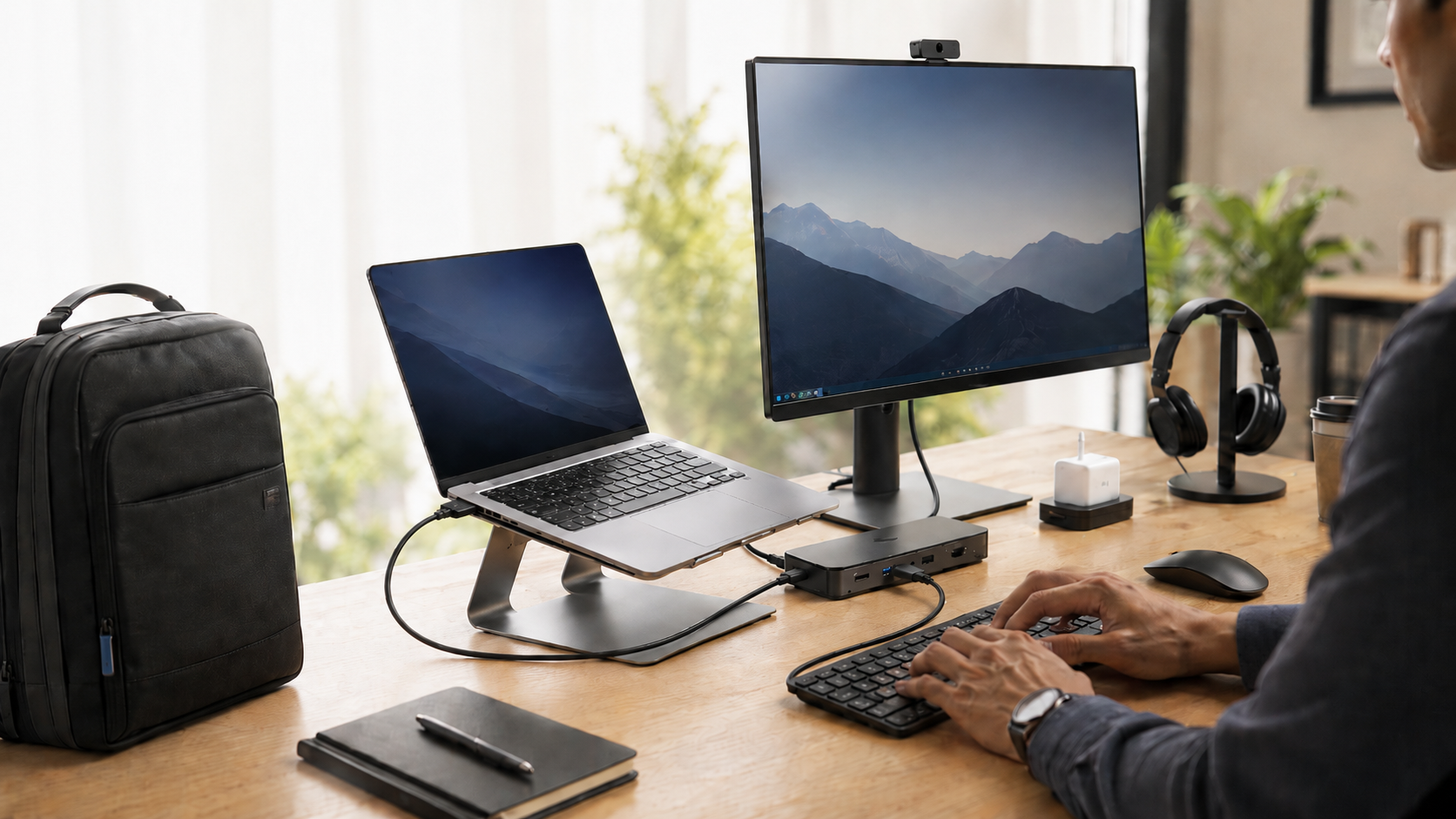
For most desk-based employees, the answer involves the same core elements — screen space, ergonomic positioning, peripheral comfort and stable connectivity. A monitor, a laptop stand, a wireless keyboard and mouse, a docking station. Not because these are premium additions, but because without them, the workstation is incomplete. It is asking the employee to compensate daily for gaps the setup should have resolved.
Organisations that approach this as a configuration decision — rather than an accessory purchase — consistently see a faster return. The desk works the way it should. Employees stop adapting around it.
Communication Infrastructure Starts at the Headset
As hybrid and remote work have become permanent features of business operations, the quality of audio on calls has shifted from a comfort consideration to a professional standard.
Poor sound affects more than the experience of a single call. It undermines client confidence, slows internal alignment and introduces friction into every conversation that passes through a screen.
For businesses managing distributed teams or client-heavy functions, headset procurement belongs in the same conversation as connectivity and collaboration tools — not in a separate accessories budget treated as an afterthought. Poly Blackwire and Poly Voyager headsets reflect that distinction: equipment chosen for how the business operates, not simply what was available.
Equipping the Workforce That Moves
Most procurement policies were written for a workforce that stayed in one place. Hybrid work has made that assumption obsolete.
Employees now move between offices, home environments, client sites and meeting rooms — often within the same day. The productivity gap that opens when someone is away from their primary desk is rarely a software problem. It is an equipment problem. The wrong bag, a missing charger, peripherals that only work at one location — these are the details that determine whether a mobile employee performs at full capacity or spends part of their day compensating for what they left behind.
Closing that gap requires the same role-based thinking that applies to any other procurement decision. A laptop backpack, a spare charger, wireless peripherals — not as accessories, but as the mobile complement to a fixed desk setup.
Procurement With Purpose
The most effective accessory strategy is not to standardise across all employees — it is to align equipment to roles.
A finance analyst running complex models needs screen space and a stable, connected desk. A business development manager presenting to clients needs reliable audio, professional mobility and the ability to perform from any environment. An operations coordinator managing internal communications simultaneously needs both.
Role-based procurement avoids the two most common mistakes: over-specifying for employees who do not need it, and under-equipping those who do. It also ensures accessories are compatible with existing devices and actually used, rather than adding to a stockroom.
When equipment decisions are matched to how people genuinely work, the return is visible — in daily output, in employee experience and in the reduced friction that compounds quietly when the wrong setup goes uncorrected.
IT Solvz: Hardware That Works for Your Business
At IT Solvz, we supply businesses across Mauritius with the hardware accessories they need to build productive, well-equipped teams.
Our range includes monitors, laptop stands, docking stations, wireless keyboards and mice, Poly Blackwire and Voyager headsets, laptop chargers and backpacks. Our team works with clients to identify the right options based on existing infrastructure, team structure and working environment. Availability is subject to current stock.
Ready to improve the way your team works?
Visit our Hardware page to request a quote and speak with the IT Solvz team.